
Use an up-to-date version of Google Chrome
Reports in Voze Web require Google Chrome and won't load correctly in other browsers. If you're using a different browser, download Chrome and open the report there. If you're already in Chrome, make sure it's up to date before trying anything else.
To update Chrome:
- Open Chrome and click the three dots in the top-right corner.
- Go to Help > About Google Chrome.
- Chrome checks for updates and installs them automatically. If it says Chrome is up to date, you're all set.
- If an update installs, click Relaunch to finish.
Good to know: Relaunching reopens the tabs you had open, so you won't lose your place. Once Chrome is updated, open the report again. If it still won't load, move on to Part 2.
Clear Voze cookies and site data
Sometimes Chrome holds on to old sign-in data that stops reports from loading. Clearing it for Voze's sites gives you a fresh start. This only affects Voze, so you'll stay signed in to everything else.
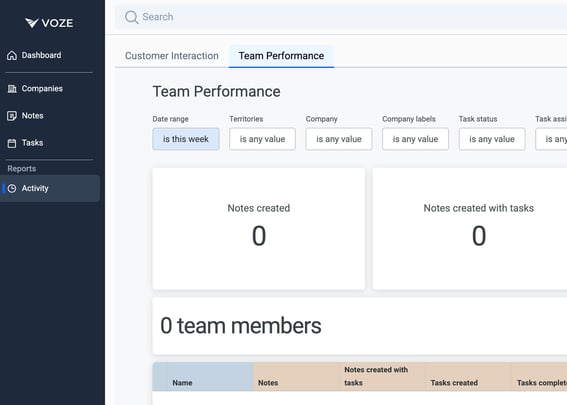
- Sign in to Voze Web in Chrome and open the report that isn't loading (for example, Reports > Activity).
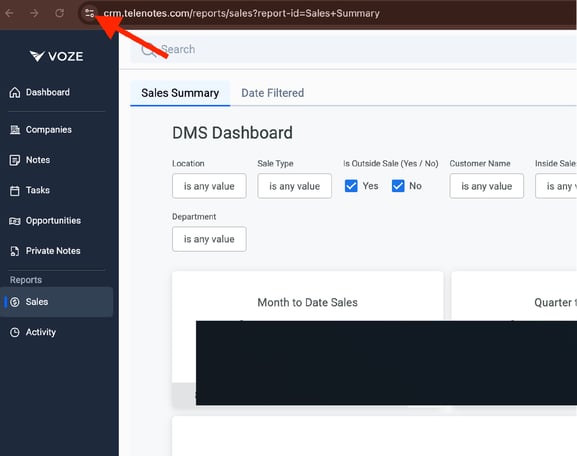
- Click the site info icon just to the left of the web address.
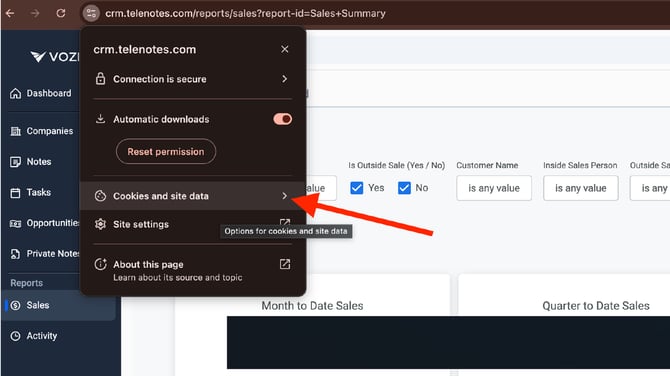
- Click Cookies and site data.
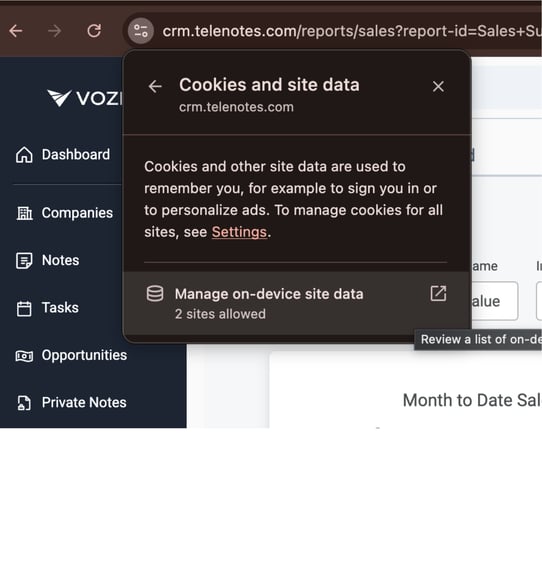
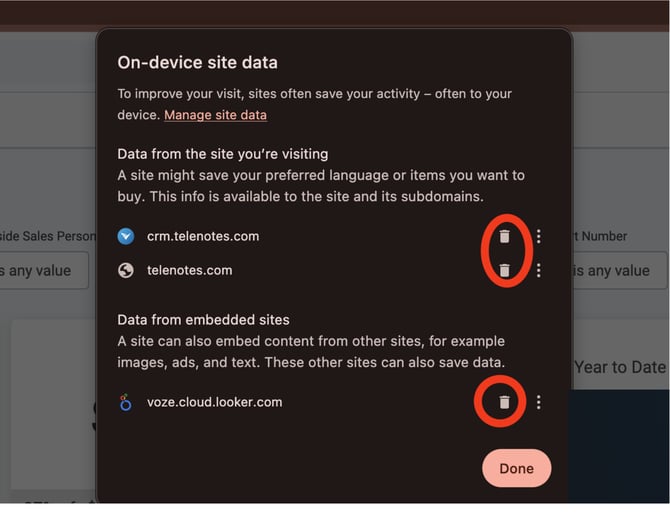
- Click Manage on-device site data.
- Click the trash can icon next to every site in the list. You'll typically see crm.telenotes.com, telenotes.com, and voze.cloud.looker.com. Delete them all, then click Done.
- Refresh the page and sign back in. Being signed out is expected here. Once you're back in, your report should load.
Still not loading? Check with your IT team
Some company networks, firewalls, and security tools block the sites our reports rely on. If Parts 1 and 2 didn't do the trick, send this list to your IT team and ask them to make sure these domains aren't being blocked:
- voze.com
- *.telenotes.com (includes crm.telenotes.com)
- voze.cloud.looker.com
Once IT confirms these are allowed, clear your cookies again (Part 2) and reload the report. If it's still not working after that, reach out to our support team and we'll dig in with you.