
- Open the Voze Pro appTap the map from your home screen.
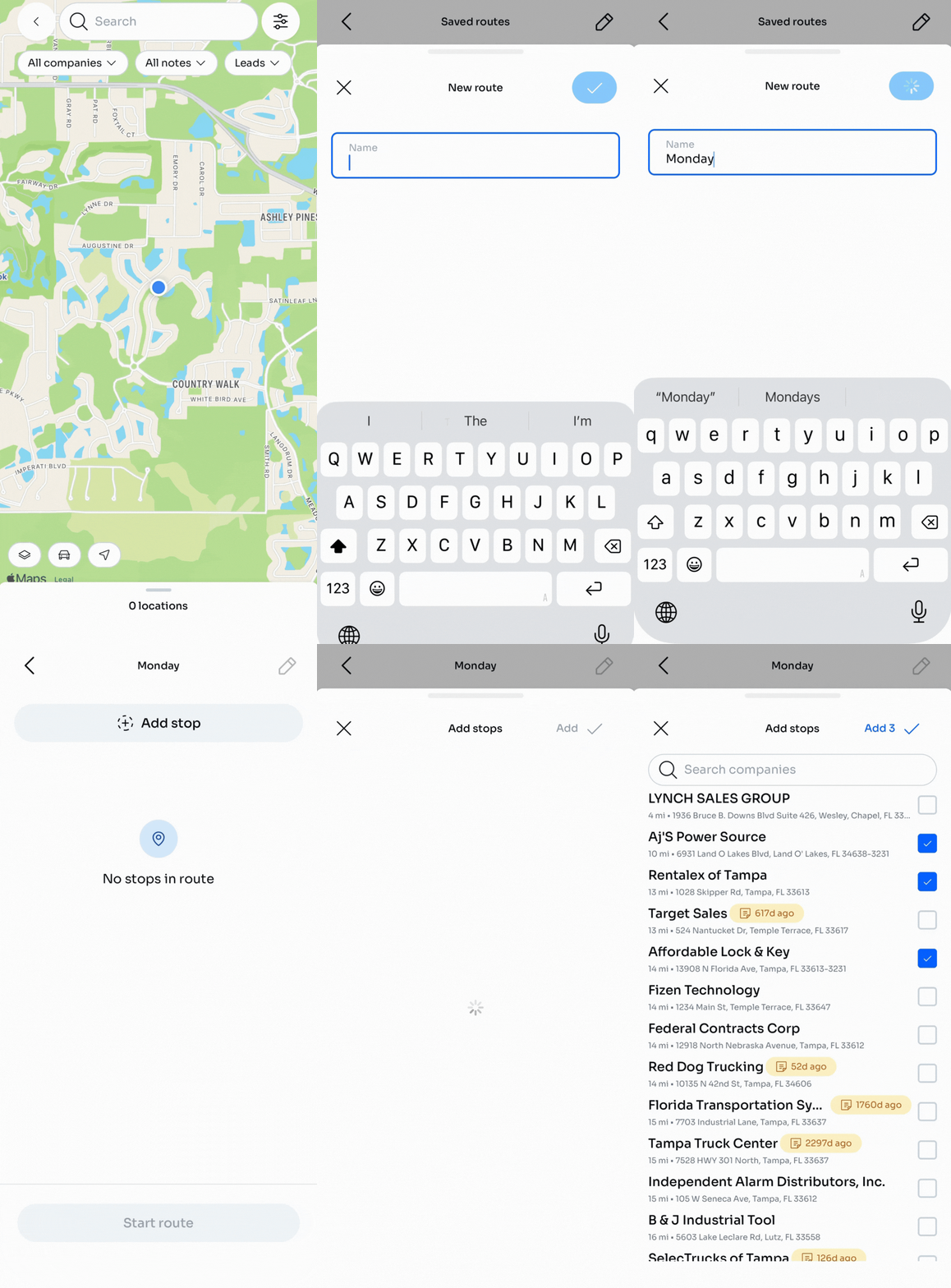
- Tap the car icon to open Routes.
- Tap New route.
- Give the route a name — for example: "Monday Route" or "Downtown Loop."
- Tap the blue checkmark to save.
- Tap +Add stop
- Company list will load.
- Tap the square next to each company you want to add to your route
- Tap the icon to add the number of companies you are adding to the route
- The added companies will now be displayed in your route.
- A green checkmark will confirm the companies have been added to your route.
- Repeat for any other companies you want to add to the route.
🔥 Hot tip: Set the Days since last note filter to 90 days. You'll see accounts without recent contact on the map and you can add them to a route.