Skip to content
English
  • There are no suggestions because the search field is empty.

Attach images and files to notes and comments

Learn how to attach images and files to notes and comments.

Attach images and files to a comment

  • Click on an existing note and scroll down to the comment section
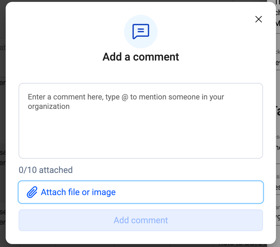
  • Click "Add comment"
Screenshot 2025-09-08 at 4.07.34 PM
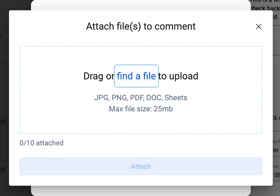
  • Click "Attach file or image"
Screenshot 2025-09-08 at 4.07.26 PM
    • Select an image or file from your computer or drag and drop.
  • Click "Attach" and save the comment
Screenshot 2025-09-08 at 4.06.40 PM

^ back to top