
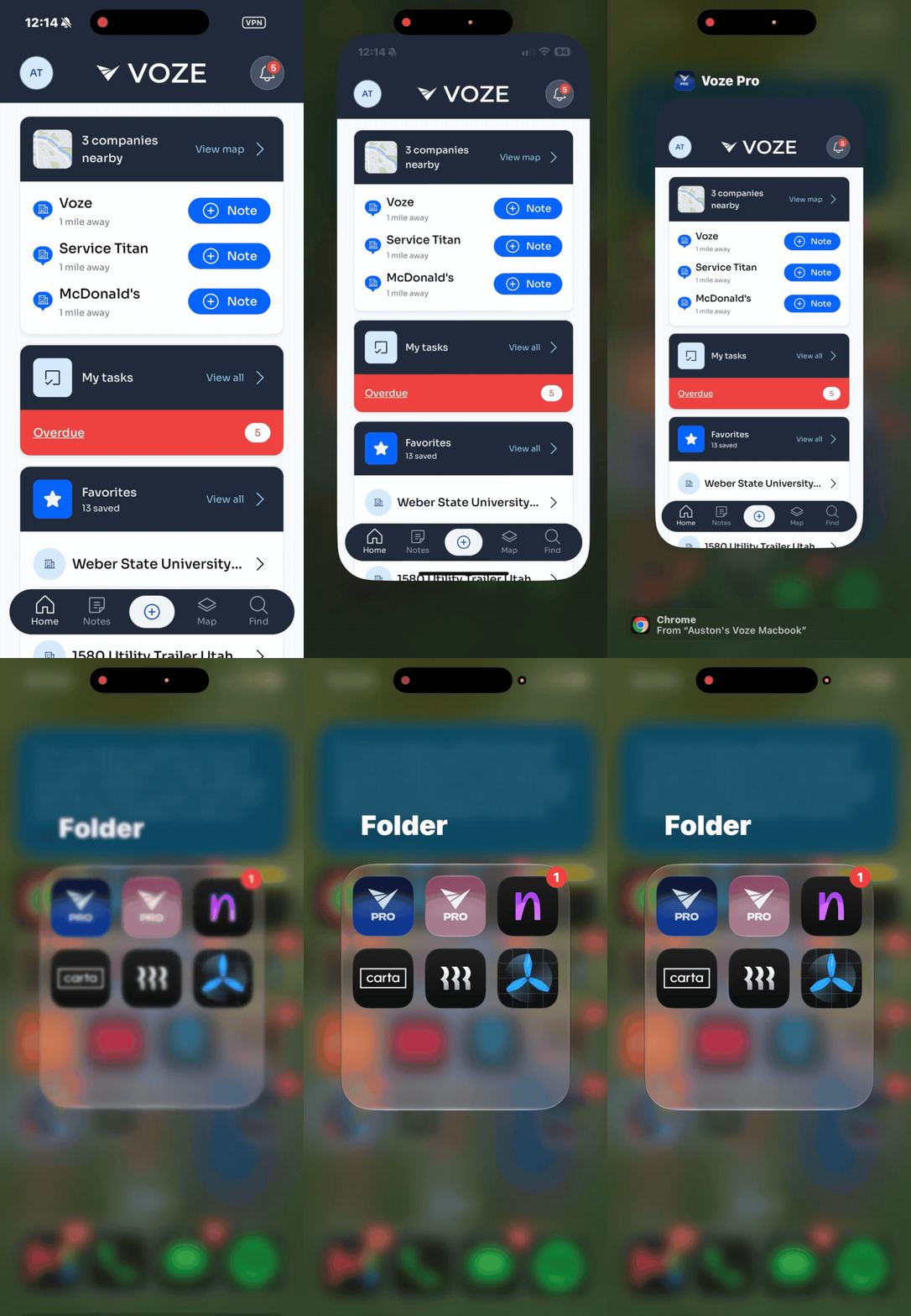
 iOS
iOS
- Save anything you're working on. If you're in the middle of a note, save it first.
- Open the list of apps running on your phone.
- Most iPhones: swipe up from the very bottom of the screen and hold your finger in the middle for a second, then let go.
- iPhones with a round Home button: press the Home button twice, quickly.
- Swipe left or right until you find the Voze app.
- Push the Voze app up and off the top of your screen. It'll disappear.
- Tap the Voze icon on your home screen to open the app again.
Android
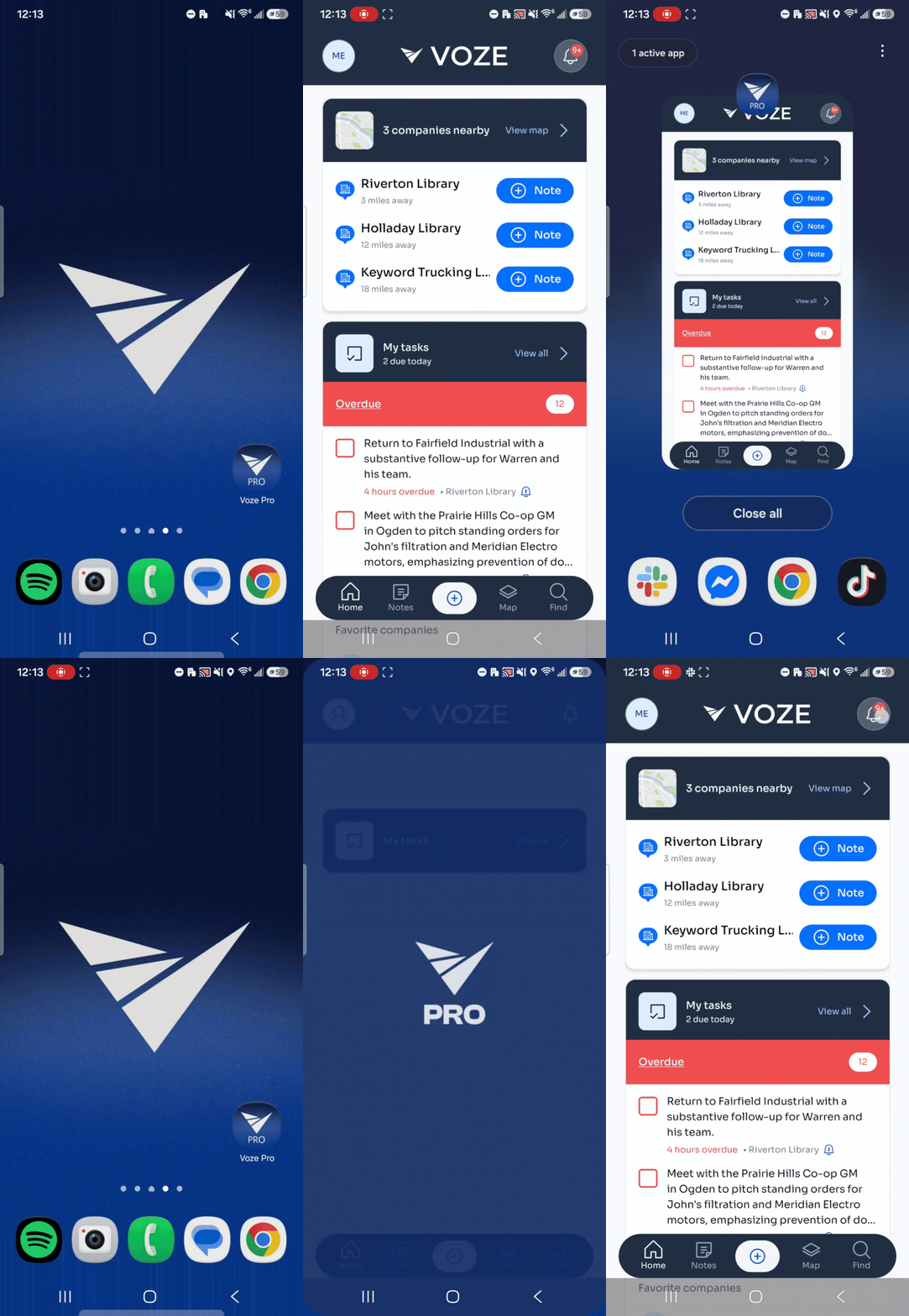 Save anything you're working on. If you're in the middle of a note, save it first.
- Open the list of apps running on your phone.
- If you have no buttons at the bottom of your screen: swipe up from the very bottom and hold your finger in the middle for a second, then let go.
- If you have three buttons at the bottom: tap the square or three-line button.
- Swipe left or right until you find the Voze app.
- Push the Voze app up and off the top of your screen. On some phones, you'll tap Close or an X instead.
- Tap the Voze icon on your home screen to open the app again.